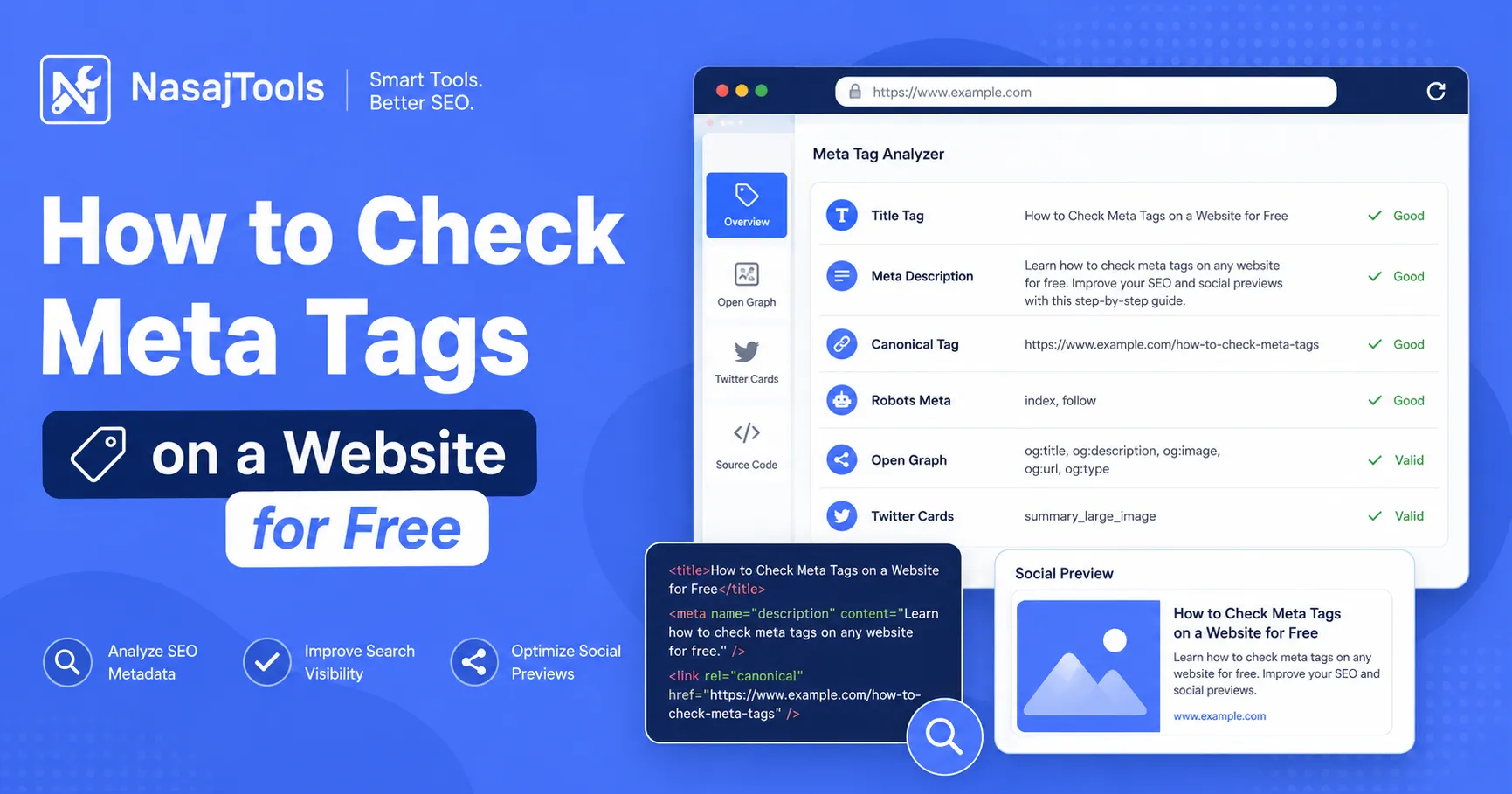
Check meta tags on a website before you publish, update, or share a page. Meta tags help search engines understand your content, control how your page appears in search results, and improve how links look on social platforms.
If you want a fast way to review a page, use the free Meta Tag Analyzer from NasajTools. Enter a URL and check the page title, meta description, canonical tag, robots meta tag, Open Graph tags, Twitter Card tags, and other important SEO metadata.
This guide shows you how to check meta tags step by step, what each important tag means, and which problems you should fix before publishing a page.
What are meta tags?
Meta tags are small pieces of HTML code inside the head section of a webpage. They are not usually visible on the page itself, but they help browsers, search engines, and social platforms understand important information about the page.
Some meta tags affect how your page appears in search results. Others affect how your link preview looks when someone shares your page on Facebook, LinkedIn, X, WhatsApp, or other platforms.
The most common metadata elements include:
- Title tag: the main title shown in search results and browser tabs.
- Meta description: a short summary that may appear under your title in search results.
- Canonical tag: tells search engines the preferred version of a URL.
- Robots meta tag: gives indexing and crawling instructions.
- Open Graph tags: control social previews on platforms like Facebook and LinkedIn.
- Twitter Card tags: control previews on X and related card-based platforms.
Why checking meta tags matters
Meta tags are small, but they can affect search visibility, click-through rate, social sharing, and technical SEO. A page can have useful content but still perform poorly if the title is unclear, the description is weak, or the social preview is broken.
When you check meta tags, you can find problems such as:
- missing title tags
- missing meta descriptions
- titles that are too short or too long
- weak descriptions that do not explain the page
- missing canonical tags
- wrong robots meta settings
- missing Open Graph image or description
- broken Twitter Card previews
This is especially important before publishing a new landing page, blog post, product page, service page, or online tool page.
How to check meta tags on a website for free in 7 steps
You do not need to manually inspect HTML every time. A meta tag checker can scan the public metadata of a page and show the most important SEO and social tags in one place.
1. Open the Meta Tag Analyzer
Go to the Meta Tag Analyzer Free tool. This tool is built to check metadata for a single webpage quickly.
You can use it for your own pages, client pages, blog posts, landing pages, ecommerce pages, or competitor research.
2. Enter the page URL
Copy the full URL of the page you want to check. Use the complete address, including https://.
Example:
https://example.com/page-namePaste the URL into the analyzer field. Make sure the page is public and accessible. Private pages, blocked pages, or login-only pages may not return complete metadata.
3. Run the analysis
Click the analyze button. The tool will fetch the page and extract supported metadata from the HTML source.
The report can help you review title tags, meta descriptions, canonical URLs, robots tags, Open Graph tags, Twitter Card tags, viewport settings, and other SEO-related metadata.
4. Review the title tag
The title tag is one of the most important on-page SEO elements. It helps search engines understand the topic of the page and often appears as the clickable headline in search results.
A good title tag should be clear, specific, and relevant to the page. It should include the main topic naturally without keyword stuffing.
Check for these title problems:
- missing title tag
- title that is too short
- title that is too long
- duplicate title used on many pages
- title that does not match the page content
- title that lacks a clear search intent
5. Review the meta description
The meta description is a short summary of the page. It is not a guaranteed search snippet, but it can affect whether people click your page in search results.
A good meta description should explain what the page offers and why someone should visit it. It should be written for humans, not just search engines.
Check for these description problems:
- missing meta description
- description that is too short
- description that is too long
- duplicate description across multiple pages
- description that does not match the visible page content
- description with no clear benefit or action
You can also use a Character Counter to check title and description length before publishing.
6. Check canonical and robots tags
After checking the title and description, review the canonical tag and robots meta tag. These tags help search engines understand which page version should be used and whether a page should be indexed.
A wrong canonical URL or accidental noindex tag can stop an important page from performing well in search results.
7. Check Open Graph and Twitter Card tags
Finally, review Open Graph and Twitter Card tags. These tags control how your page appears when shared on social platforms and messaging apps.
If the title, description, or image is missing, your shared link may look unfinished. This can reduce clicks even if the page content is good.
What meta tags should you check?
When you check meta tags, do not only look at the title and description. A complete metadata review should also include canonical, robots, Open Graph, and Twitter Card tags.
Title tag
The title tag should describe the page clearly. It should be unique for each important page on your site.
Meta description
The meta description should summarize the page and encourage clicks. Keep it useful, natural, and aligned with search intent.
Canonical tag
The canonical tag tells search engines which URL is the preferred version of a page. This is useful when similar content appears under multiple URLs.
If the canonical URL is missing, wrong, or pointing to another page by mistake, search engines may index the wrong version.
Robots meta tag
The robots meta tag can tell search engines whether to index a page or follow links on the page. For example, a page with noindex may be excluded from search results.
Always check this tag before publishing important pages. A wrong noindex tag can stop a page from appearing in Google.
Open Graph tags
Open Graph tags control how your page appears when shared on platforms such as Facebook and LinkedIn. Important Open Graph tags include:
og:titleog:descriptionog:imageog:urlog:type
If these tags are missing or weak, your social preview may look unfinished or unattractive.
Twitter Card tags
Twitter Card tags help control how links appear on X and card-based previews. Common tags include:
twitter:cardtwitter:titletwitter:descriptiontwitter:image
These tags are useful when you promote blog posts, tools, landing pages, or product pages on social media.
Meta tag analyzer vs SEO analyzer
A meta tag analyzer focuses on page metadata. It is best when you want to check the title, description, canonical tag, robots meta tag, Open Graph tags, Twitter Card tags, and social preview data.
An SEO Analyzer is broader. It can help you review more on-page SEO elements such as headings, images, links, content structure, and other optimization issues.
Use the Meta Tag Analyzer when you need a focused metadata check. Use the SEO Analyzer when you want a wider page audit.
Common meta tag problems to fix
Many SEO issues are caused by simple metadata mistakes. The good news is that most of them are easy to find and fix.
Missing title tag
Every important page should have a title tag. Without it, search engines and users may not understand the page clearly.
Title too long or too short
A very short title may not provide enough context. A very long title may be truncated in search results. Write a title that is clear and focused.
Missing meta description
If the meta description is missing, search engines may generate their own snippet from the page content. Sometimes that works, but often it is less controlled than a custom description.
Duplicate title or description
If many pages use the same title or description, it becomes harder for search engines and users to understand what makes each page unique.
Missing canonical tag
A missing canonical tag is not always a disaster, but it can create confusion when similar URLs exist. Add a correct canonical tag to important pages.
Wrong robots meta tag
A page that should rank should not accidentally include a noindex instruction. Always check robots tags before publishing or after template changes.
Missing social preview tags
If Open Graph or Twitter Card tags are missing, your page may look poor when shared. A strong social preview can improve clicks from social platforms and messages.
Best practices for writing better meta tags
Checking meta tags is only the first step. After you find issues, you need to improve the tags so they match the page and attract the right audience.
Use these best practices:
- Write a unique title for every important page.
- Put the main topic near the beginning of the title.
- Make the title clear instead of clever.
- Write a meta description that explains the page benefit.
- Keep the description natural and readable.
- Use a correct canonical URL.
- Check that important pages are not accidentally noindexed.
- Add Open Graph and Twitter Card tags for pages you plan to share.
For general guidance about search snippets and descriptions, you can also review Google Search Central’s documentation about controlling snippets in search results.
When should you check meta tags?
You should check meta tags at important moments in your publishing workflow. This helps prevent simple SEO mistakes before they affect traffic.
Check meta tags:
- before publishing a new page
- after changing a page title or description
- before sharing a page on social media
- after moving or redirecting pages
- after changing SEO plugins or templates
- when Google shows the wrong snippet
- when social previews look broken
For a full content review after checking metadata, use the Text Analyzer to improve readability and page structure.
Useful tools after checking meta tags
After you check meta tags, you may need to improve page copy, title length, or broader SEO issues. These tools can help:
- Meta Tag Analyzer: check title, description, canonical, robots, Open Graph, and Twitter Card tags.
- SEO Analyzer: run a broader on-page SEO audit.
- Character Counter: check title and description length.
- Text Analyzer: improve readability and text structure.
- More SEO Tools: browse more SEO utilities from NasajTools.
Conclusion
Learning how to check meta tags is important for SEO, click-through rate, and social sharing. A few small metadata problems can affect how your page appears in search results and link previews.
Use the Meta Tag Analyzer Free from NasajTools to check title tags, meta descriptions, canonical tags, robots meta tags, Open Graph tags, Twitter Card tags, and other supported metadata in one quick report.
After checking your tags, fix missing or weak metadata, review your page copy, and run a broader SEO audit if needed.