Split PDF Online Free

Split PDF files online for free. Extract specific pages, split a PDF by page ranges, or divide documents into multiple files instantly with no signup, no watermark, and secure browser-based processing.

Select specific pages or page ranges and download separate PDF files instantly without installing software. This online PDF splitter works directly in your browser for fast, private document handling.

Your PDF files are processed directly in your browser, ensuring full privacy and no server uploads.

Runs entirely in your browser
No file uploads or server processing
Private, fast, and secure
1 Upload PDF
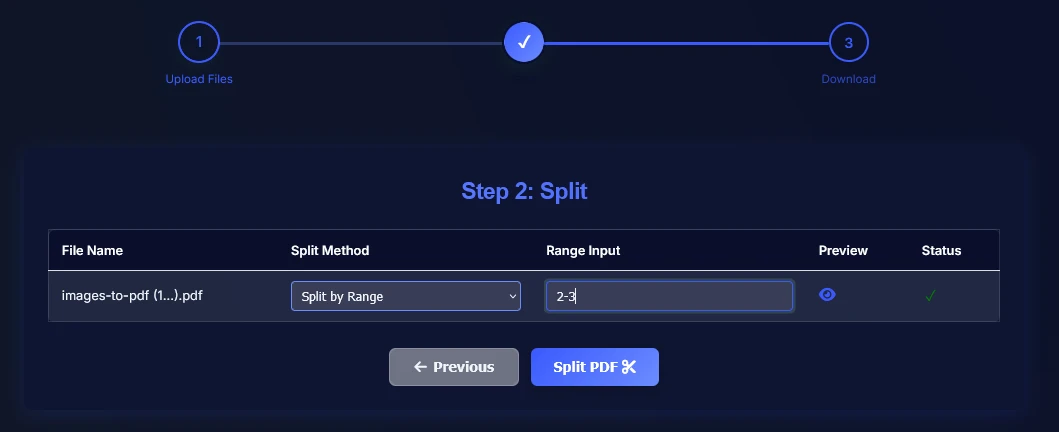
2 Choose Split
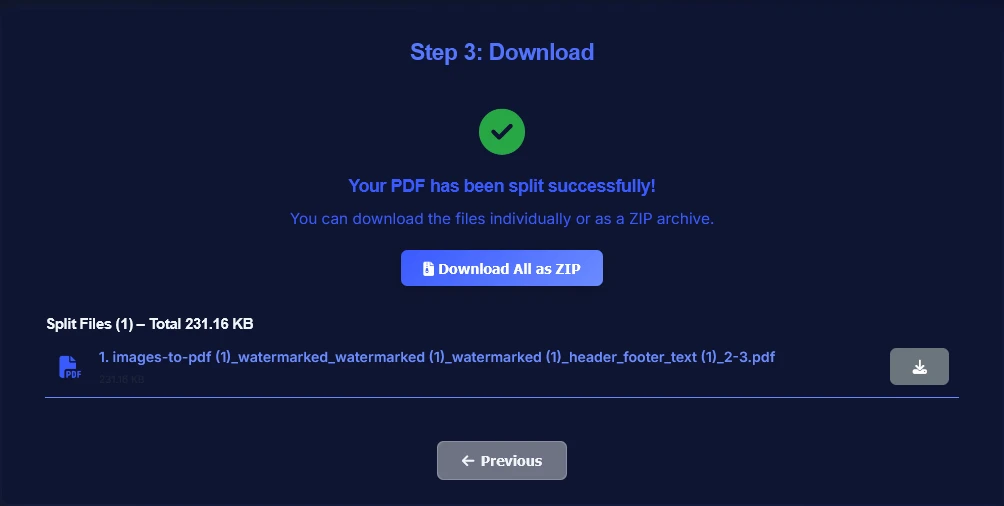
3 Download

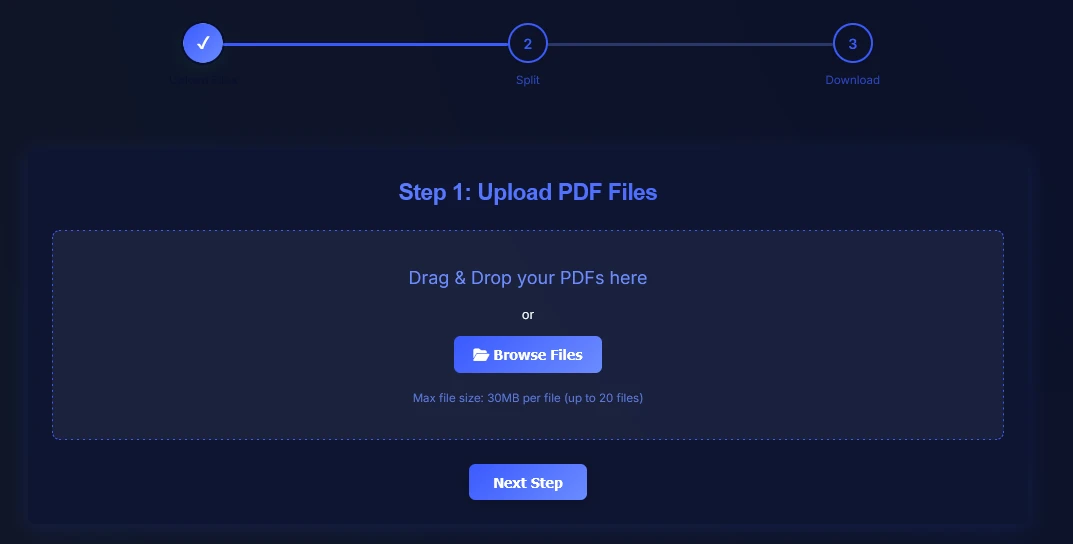
Step 1: Upload PDF Files

Upload your PDF file to split pages, extract specific sections, or divide large documents instantly — no signup required.

Files stay on your device — no uploads, no tracking, no risk.

Drag & Drop your PDFs here

or

Max file size: 30MB per file (up to 20 files)
How to Split PDF Files Online

Follow these simple steps to split PDF files online for free without signup.

This tool supports splitting large PDF files, extracting individual pages, and organizing documents into smaller, shareable files.

1

Upload your PDF file.

Upload PDF file to split online
2

Choose how to split your PDF: select specific pages, enter page ranges (like 1–5), or divide the file into multiple parts.

Choose split method for PDF pages
3

Split the PDF and download your new files instantly as separate documents or a ZIP archive.

Download split PDF files without watermark

Split PDF by Page Ranges

Split PDF pages by ranges such as 1-5 or 6-10 to separate chapters, reports, forms, or contract sections into cleaner files.

Custom page groups make it easy to organize long documents for sharing, review, or archiving.

Extract Specific Pages from PDF

Keep only the pages you need and save them as a new PDF without sending the entire document.

This is useful when you want to extract one page or several selected pages for clients, coworkers, or classwork.

Split PDF into Multiple Files

Divide large PDFs into smaller files for easier sending, uploading, and document organization.

Breaking one document into multiple parts helps when you need separate files for teams, workflows, or storage.

Split PDF Without Adobe

No Acrobat or desktop software is required. This browser-based PDF splitter works online with no installation.

Just upload your file, choose pages or ranges, and download the split PDFs right away.

Best PDF Splitter for Fast, Private Use

This tool is built for quick document handling with no signup, no watermark, and private browser-based processing.

It works well for work documents, school files, forms, reports, and everyday PDF sharing.

Split PDF FAQ

Frequently asked questions about splitting PDF files online for free.

Is this PDF splitter free to use?
Yes. You can split PDF files online for free with no signup and no watermark.
How can I split a PDF into specific pages or ranges?
You can split a PDF by selecting specific pages or page ranges such as 1-5 or 6-10. You can also extract individual pages or custom page groups.
Can I split a PDF into multiple files?
Yes. You can divide one PDF into multiple smaller files based on your selected pages or page ranges.
Can I split large PDF files into smaller parts?
Yes. You can split large PDF files into smaller parts or extract selected pages to make documents easier to share, upload, or organize.
Can I extract just one page from a PDF?
Yes. You can select a single page and save it as its own PDF file in just a few seconds.
Can I split PDF files without Adobe?
Yes. This PDF splitter works directly in your browser, so you do not need Adobe Acrobat or any desktop software.
Are my PDF files safe and private?
Yes. Your PDF files are processed locally in your browser and are never uploaded to any server.
Will the formatting and fonts remain unchanged after splitting?
Yes. All original formatting, fonts, images, and layouts are preserved exactly as in the original PDF file after splitting.
Do I need to install software to split a PDF?
No. You can split PDF files online without installing software.

Related PDF Tools

After splitting your PDF, use these tools to merge files, extract selected pages, or remove unwanted sections.