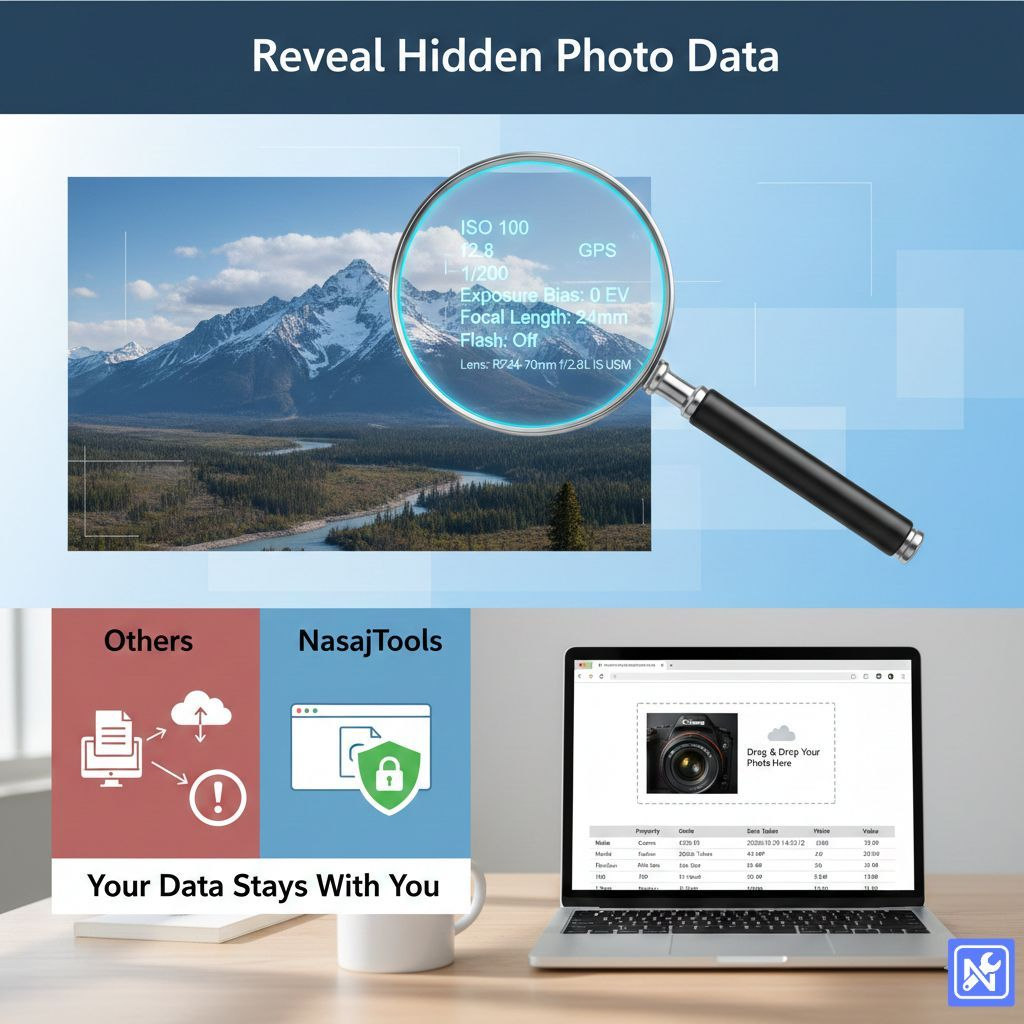
Have you ever wondered what your photos are actually saying about you?
I’m not talking about your smile or the beautiful sunset in the background. I’m talking about the hidden data buried deep inside the file itself. Every time you snap a picture with your smartphone or digital camera, a massive amount of technical information is secretly saved along with the image.
It’s called EXIF data. And honestly, it can reveal a lot more than you might be comfortable with.
Most people don’t realize that their innocent vacation photo might be broadcasting their exact GPS coordinates to the world. If you want to check what information is tagging along with your images, you need a reliable tool. But here’s the catch: most “free tools” ask you to upload your sensitive photos to their servers just to show you that data.
That’s where NasajTools comes in. We’ve built a privacy-first online EXIF viewer that works entirely in your browser. No uploads, no cloud storage, no prying eyes.
Let’s dig into how it works and why you should care.
What is EXIF Data, Anyway?
EXIF stands for “Exchangeable Image File Format.” Think of it as a digital fingerprint for your photos.
When you take a picture, your camera (or phone) stamps the file with metadata. This isn’t just basic stuff like the date and time. It includes:
- Camera Model: Did you use an iPhone 15 or a Canon DSLR?
- Exposure Settings: ISO, shutter speed, aperture, and focal length.
- Location Data: Precise GPS coordinates (latitude and longitude) of where the photo was taken.
- Software: What editing software was used to touch it up.
For photographers, this data is gold. It helps you learn from your shots. For privacy-conscious folks? It’s a potential leak.
You can learn more about the technical history of EXIF data on Wikipedia, but for now, just know it’s there, hiding in plain sight.
The Privacy Risk: Why “Client-Side” Matters
Here is the thing about most online tools: they operate on a “send and receive” basis. You send them your photo, their server processes it, and they send you back the result.
Do you see the problem?
Once your photo leaves your device, you have lost control of it. You don’t know if they are deleting it immediately or storing it in a database.
NasajTools operates differently. We use client-side technology.
When you use our online EXIF viewer, the code runs right there in your own web browser (Chrome, Firefox, Safari, etc.). Your photo never leaves your computer or phone. It’s never uploaded to our servers. It’s akin to opening a file on your own hard drive—we just provide the lens to look at it.
This makes it the safest way to check sensitive personal photos or professional work that acts under NDA.
How to Use the NasajTools EXIF Viewer
You don’t need to be a tech wizard to dig into your image data. We kept the interface clean and simple.
Here is how to view your metadata in seconds:
- Open the Tool: Go to the EXIF viewer page here.
- Select Your Image: You can drag and drop your image directly onto the box, or click to browse your files. We support standard formats like JPG, PNG, and WebP.
- Instant Analysis: Because there is no uploading involved, the results appear instantly.
- Review the Data: Scroll through the table. You will see sections for “Basic Info,” “Exif Tags,” and “GPS” if available.
It’s fast. Like, really fast. Since we aren’t waiting for a large file to travel across the internet, the data pops up the moment you drop the file.
When Should You Check EXIF Data?
Why would you need an online EXIF viewer in your daily life? Here are a few common scenarios:
- Before Posting on Social Media: Check if your home address is embedded in that photo of your new puppy. If the GPS data is there, strangers could map exactly where you live.
- Debugging Photography: Why was that one shot so blurry? Check the shutter speed and ISO settings to understand what went wrong.
- Verifying Images: If you are buying a used camera and the seller sends sample shots, you can check the metadata to confirm the camera model and shutter count.
- SEO Optimization: Search engines read metadata. Ensuring your copyright info is correct can help with image SEO.
If you are interested in the deeper technical side of how browsers handle images, MDN Web Docs is a great resource.
Frequently Asked Questions (FAQ)
Final Thoughts: Safety First
In a world where data is the new oil, keeping your personal information private is harder than ever. But it shouldn’t be complicated.
You shouldn’t have to trade your privacy just to see what ISO setting you used on a photo three years ago. By using a client-side online EXIF viewer, you get the speed and utility of a web tool with the security of a desktop application.
It’s simple, it’s secure, and it puts you back in control.
Give it a try next time you are about to share a photo. You might be surprised by what you find hidden in those pixels.